tl;dr termius, ssh, tmux, tmux-ai-status, telegram, iOS shortcut
Why
A few weeks ago there was a sudden death in my family and I had to travel overseas last minute to help my family out. I had been working on a self reflection and journaling AI app, but knew that I’d need to drop it. I was hitting a wall in the app; the place where I was going had slower internet and unreliable electricity; and it was unclear how much free time I’d have.
So, I put a pause on the app, and focused on family and travel. But I still had the itch to build.
Back in 2018 I had built a sneaker boutique aggregator, but it was expensive to operate (Elasticsearch was expensive!), so I ended up shutting it down. Looking back, I wish I had found a way to keep it running at a lower cost. Google was sending me traffic!
Now that vibe coding is a thing, I was curious how far I could get from my phone. Turns out, really really far. In a little over one month, I’ve built out way more than I did in six months with a laptop. Check it out: SoleFeed.com. I aggregate 300+ stores and run their products through a fancy ML pipeline (stylecode + image based deduplication, fashion tuned embeddings for every product, color analysis, shoe direction normalization, etc). And the search is just as powerful and fast as it was on Elasticsearch, but costs 4x less to operate.
I’ve learned a ton from building SoleFeed, and so I’m writing a few articles about what I’ve learned. Check out my first one, reflecting on whether I’m really still doing software engineering if I’m not reading or writing code anymore.
The flights I took were super long and way too cramped to use my laptop. But I was still able to ship with my phone!
- LAX → Doha: 15h 40m. 27 commits. Cleaner product pages, better size-selection UX, loading states, sticky search, faster first-load behavior, and server-streamed recommendations, prototyped an Adidas x Brain Dead editorial page.
- Doha → LAX: 16h. 305 commits. I sent claude on a 6 hour bug bash: SEO, accessibility, API/DB reliability, E2E tests. And I personally oversaw deep catalog data fixes (dedup logic, size parsing, image-processing tests) to make search results more accurate and scalable.
Without further ado, here’s how I built SoleFeed, from my phone.
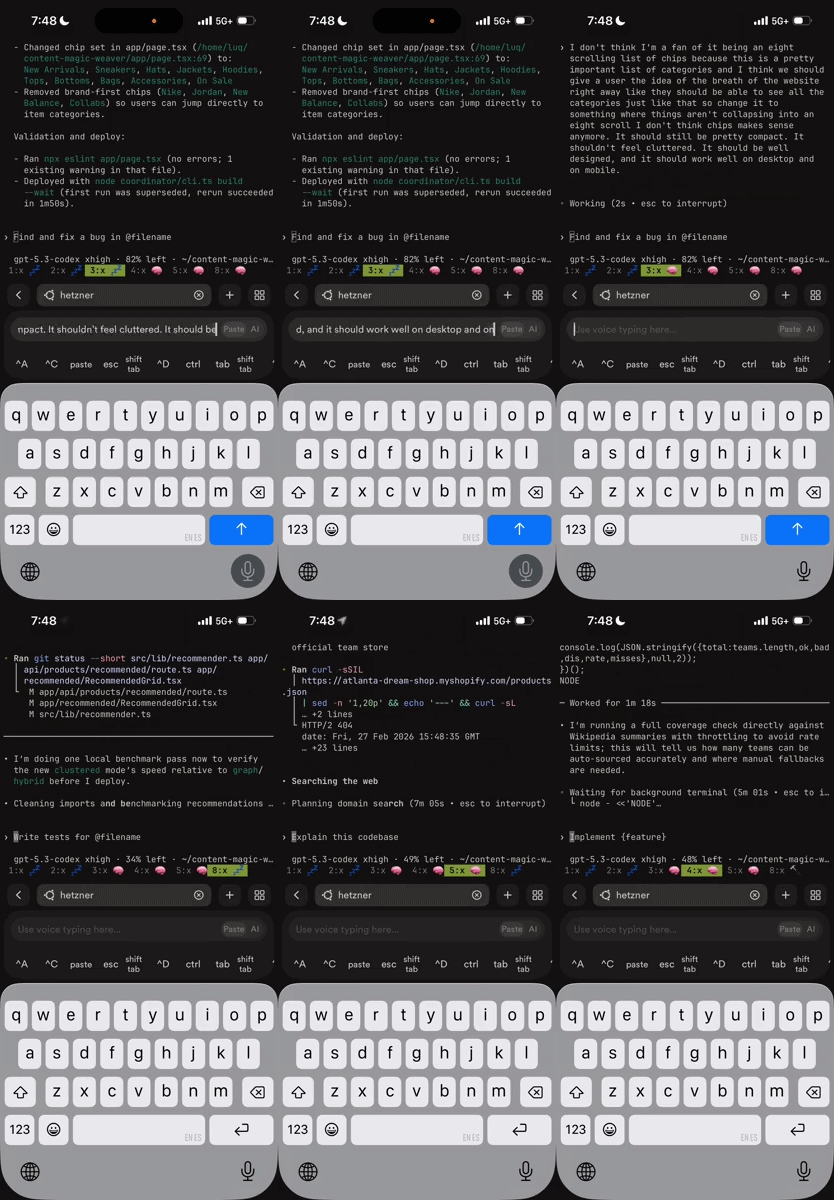
The core setup: Termius + ssh + tmux
I was really hoping that claude/codex/cursor had polished iOS apps I could build from. But what they had back in late January 2026 was lacking. So I rented a cheap Hetzner server and set up claude code on it.
I didn’t have much time, so I just gave claude sudo access and told it to set the server up for me with nice defaults and nice software for my goals. It gave me tmux, mosh, and zsh and customized their settings to be a little nicer for me. tmux has been a lifesaver since my mobile data often disconnects. Mosh hasn’t been as useful as I expected. I don’t like how scrolling works in it. And my data/latency honestly hasn’t been that bad.
Going into the flight, I wasn’t sure if there’d be wifi, but I was hoping there was. I expected it to be quite locked down, so I had claude set up for a cloudflare tunnel for me. Turns out on a Southwest flight the cloudlfare tunnel was blocked, but regular ssh worked just fine. And on the longer Qatar flights between LA and Doha there was Starlink! My internet in the air felt better than 5G in LA.
Termius + tmux + ssh has been working great. But there are some pain points.
Typing sucks on my phone
I have so many typos when I talk to claude using my phone. I use terribel grammar. I spell things incorrectly. I have describe ideas backwards. I’ll say to “create a red button”, but then actually I’m like no I want a blue button, but then I won’t delete the text because backspace is a bit annoying, so I just add more instructions like “actually nvm use a blue button.” But, claude nearly always figures it out! So fat fingering hasn’t been a problem.
Termius also has a voice dictation mode. Click on the AI widget and switch to paste mode. It works, but it doesn’t feel good. Regardless, I use it quite a bit when I go for walks and come up with ideas.
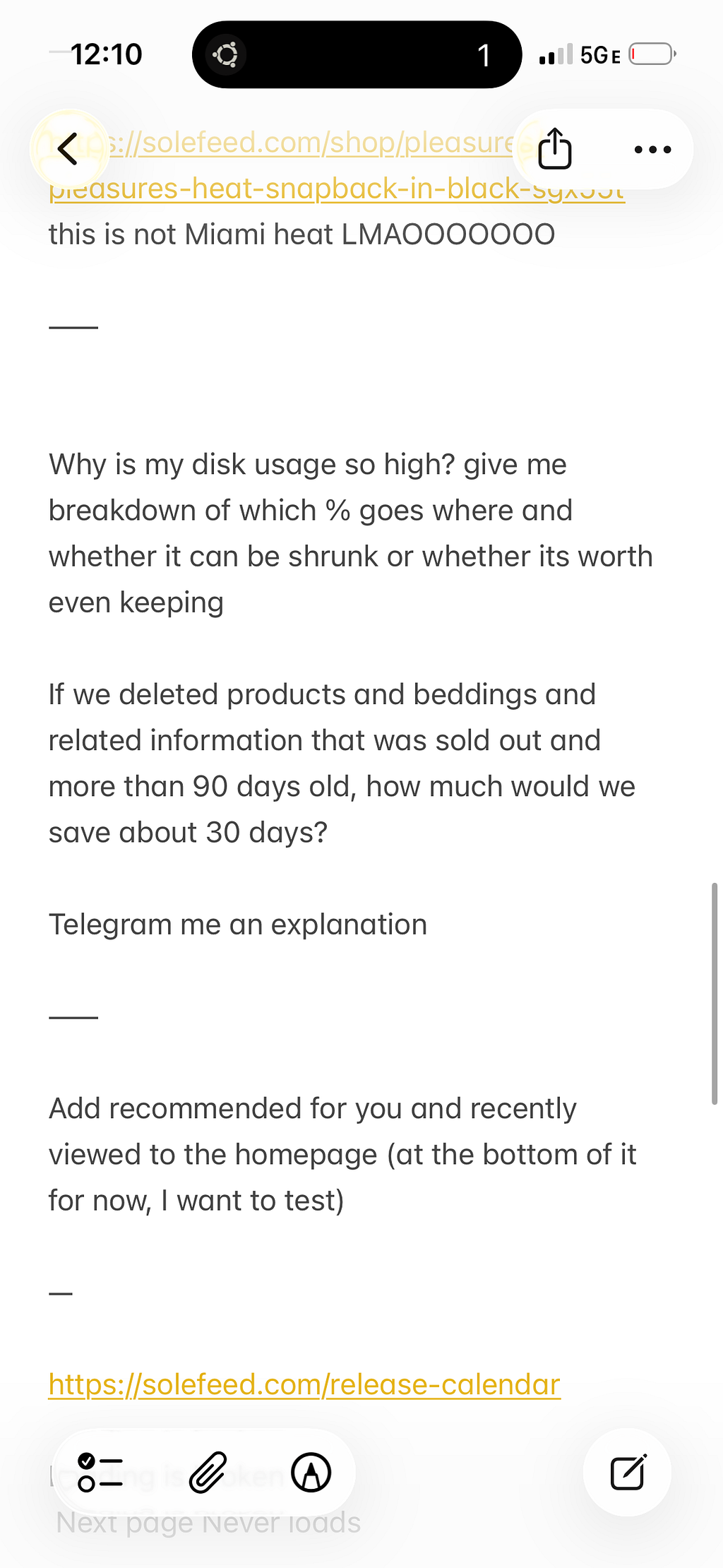
But sometimes, when I’m testing SoleFeed in bed or on a walk, I easily come up with 10 or 20 bugs/ideas in a matter of minutes. Typing them all up for claude would be annoying. So I just open up the Notes app and jot down the bugs I notice or features I’d like really quickly with ----- seperating each feature. And the voice dictation works pretty well in the Notes app. Then I’ll copy paste the whole into claude and say todo list. Sometimes I even tell it, dont ask me questions, don’t show me a plan, just execute.
I had cursor set me up with some nicer aliases so I don’t have to type as much when I log in:
alias ta='tmux a'
alias cc='claude --dangerously-skip-permissions'
alias ccc='claude --dangerously-skip-permissions --continue'
alias cx='codex --dangerously-bypass-approvals-and-sandbox'
alias cxr='echo -ne "\e]0;Codex - ${USER}@${HOST%%.*}:${PWD##*/}\e\\" && codex --dangerously-bypass-approvals-and-sandbox resume'
Push notifications from claude code
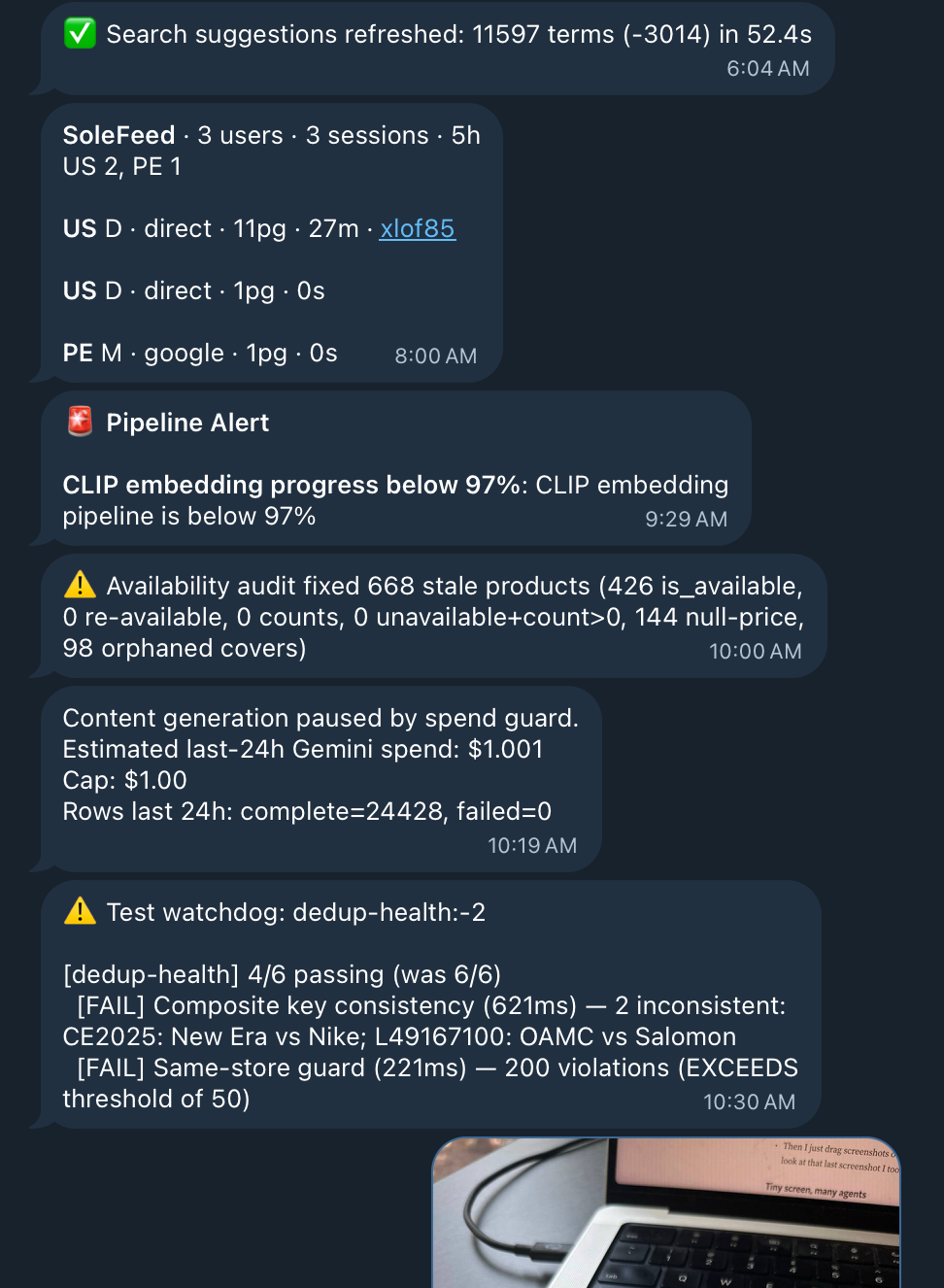
After a few weeks of claude coding from my phone I got annoyed with having to remember to go back to a session or wait for a long session. I wanted to know exactly when a long running thing was done.
So I looked around for the best (free) way to send push notifications to my phone. It turns out Telegram has a bot (BotFather) you can message and it gives you an API key that lets you make your own bot. This is better than one of those curl push notification services because its: free, has two way communication, has mobile and desktop apps, and is super reliable.
It seems that the world is all converging on the same sort of workflows at the same time, because just a few weeks after setting this up I listened Lex’s OpenClaw interview and heard about somebody else using WhatsApp for the same thing. My telegram integration is a bit janky, so replies don’t work too well. I’d love to have that and a way to manage multiple claudes really well through the Telegram app.
Or better yet, an actually good claude code phone app. But then again, I wouldn’t have the full power of SSH.
Sending images to claude code from my phone
Using claude/codex locally has one huge advantage: you can just copy paste images directly right into your terminal. Unfortunately, this isn’t possible with ssh + tmux, even on a laptop. So I’ve come up with a few workarounds.
On my laptop, I run mutagen. mutagen syncs my ~/sync folder between my server and my laptop. This way I can just press cmd-shift-4 to take a screenshot, and then tell claude, hey look at the screenshot i just took and use it to design this UI.
But on iOS it took me a while longer to figure out how to share images with claude on my server. My first attempt to solve this was to create an iOS shortcut that uploads files to a ~/sync folder on my computer.
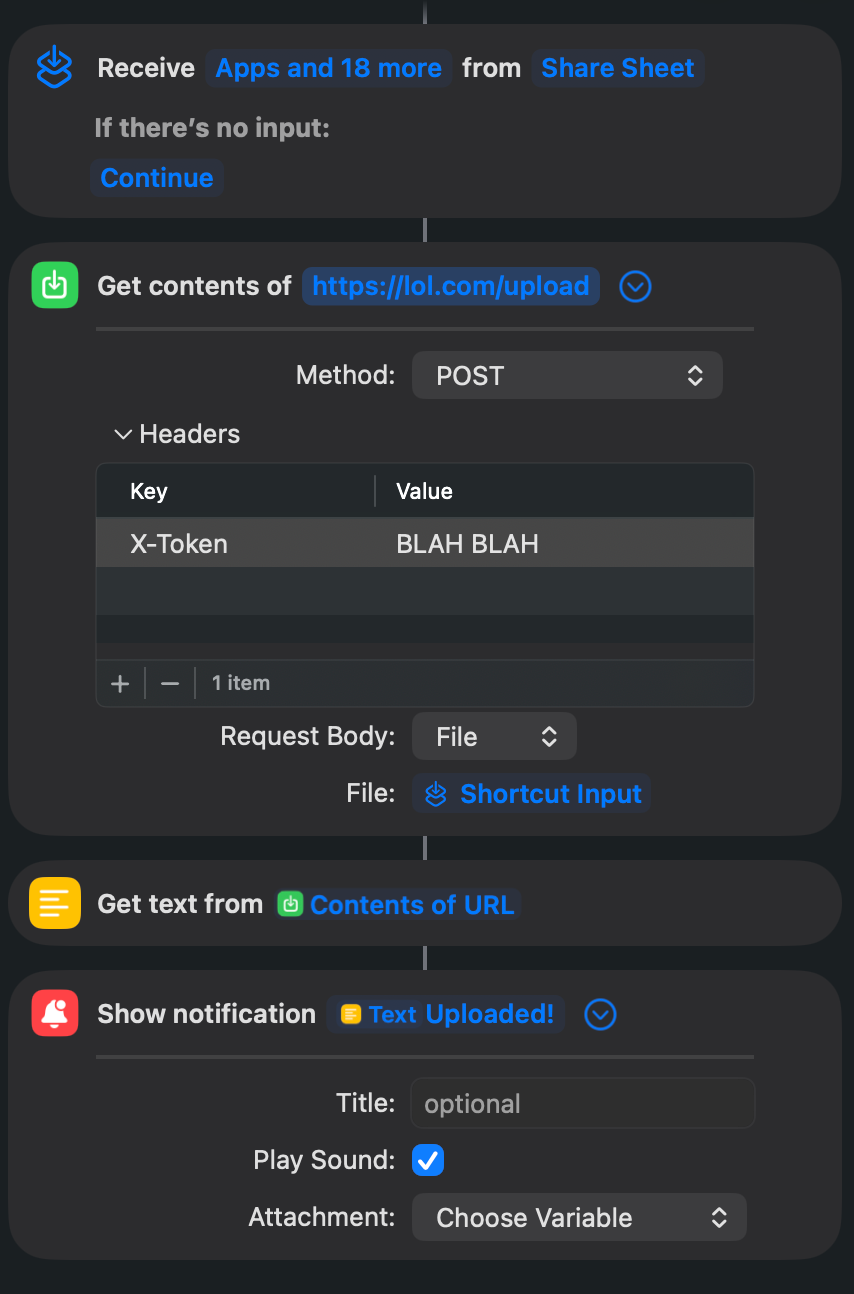
This has been ok, but was annoying to set up. While writing this article, I realized I already have an easier builtin mechanism for uploading images and attachments to my server: Telegram!
Tiny screen, too many agents
I typically have 5—15 instances of codex or claude code open at a time. They’re all working on different things and finish at their own pace. This posed many challenges for vibe coding from my phone: tmux made tab names too long. So I shortened them to just claude. But then this got confusing. Which agents were done? Which ones needed my attention? Which ones could I ignore? I had to constantly switch tabs to see which agents needed my attention or were done running.
I solved this by setting up a little go script that monitors claude and codex and renames their tmux tabs to emojis that indicate their status.
- 📬 Unread: agent finished or needs your attention
- 🧠 Agent is actively thinking/working
- 💤 Agent is idle / waiting (already seen)
- 🔨 Build/compile task
- 🧪 Test task
- 📦 Package install task
- 🔀 Git task
- 🌐 Network task
- ⚙️ Other subprocess task
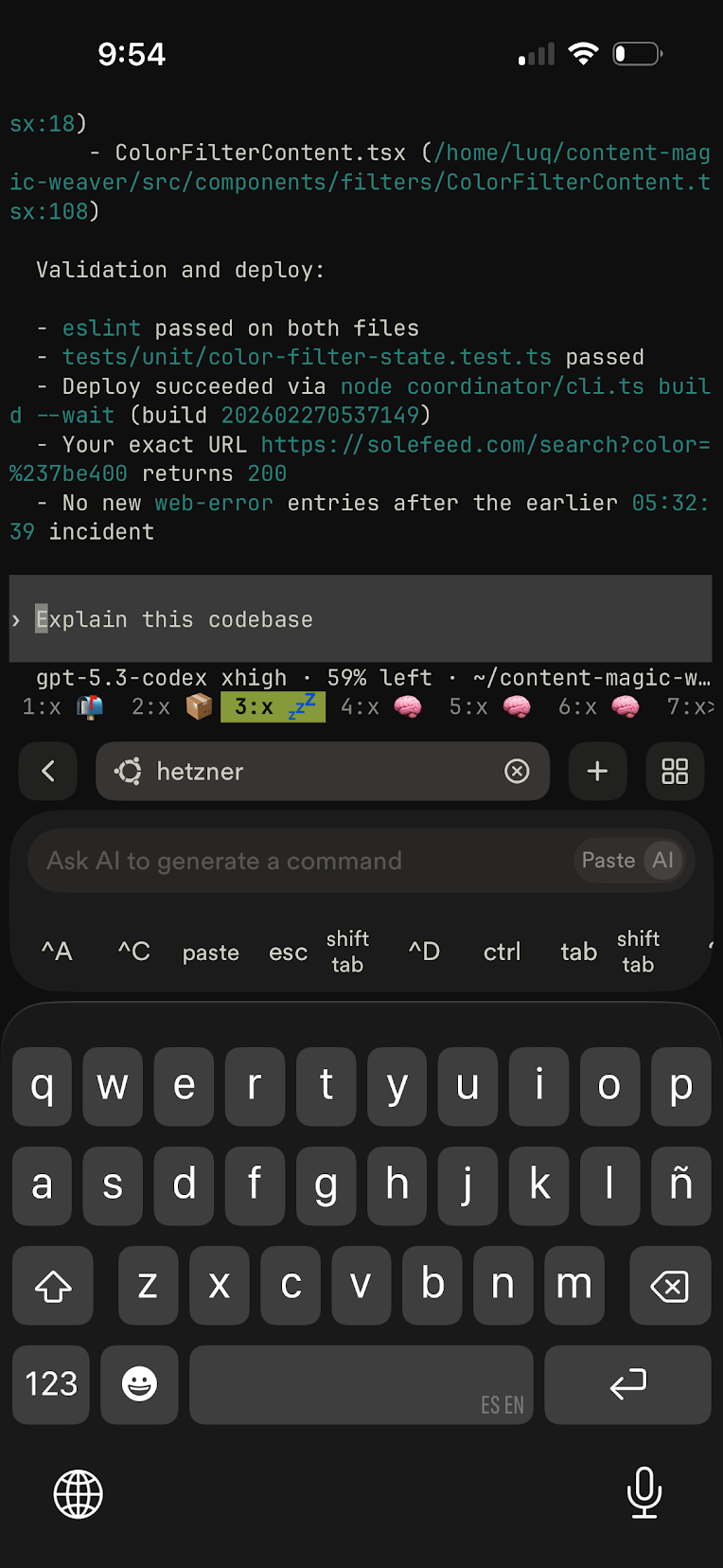
Switching tmux tabs on an iPhone
Another problem: I was constantly pressing ctl-b, n to switch tabs. So annoying on a phone keyboard. Pressing ctl-b was even more cumbersome since I had to switch to the keyboard to numbers. Turns out tmux has a setting that lets you just tap on a tab you to switch it: set -g mouse on . It’s funny that this feels mind blowing to me. Outside of a terminal this would be tablestakes.
Unsolved challenges
Even though I wrote an article about how I don’t think it makes much sense to write or read code anymore, I’d still like to be able to. Unfortunately this has been one of the major drawbacks of this mobile first claude code workflow. I tried a few things to work around the limitations of mobile/ssh, but they’re just ok and haven’t been easy enough for me to actually use day to day:
- neovim with fuzzy file search
- fzf for fuzzy file search + piping
- better diff formatting with delta
- Using the GitHub iOS app to review code. I pretty much only use it to look at my plans/*.md and reports/*.md files.
One time I did absolutely have to use a computer was when I decided to build a shoe direction detection model. Labeling the training data with a larger screen and mouse was so much easier than using my tiny iPhone screen.
Is the future vibe coding without a screen?
This phone first flow workflow makes me wonder: do I really need to look at a screen at all to build stuff? I spend way too much time looking at a screen all day, and I’m worried about my long term eye health. LLMs are great at dealing with text and code and are getting less bad at voice stuff. What if there was a way to vibe code without ever looking a a screen? Will somebody glue together all these pieces to create a new way to build, where you’re just having a conversation. No screens, no typing. I hope so.